






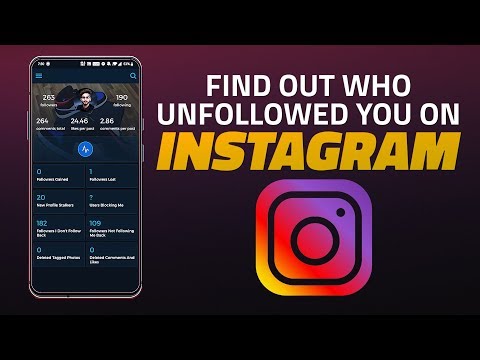
We all love to capture and share photos on Instagram, hoping others would like it and follow us. But there are times with someone might unfollow you, and you may want to know who it was. Today, we’ll tell you how you can easily find out who unfollowed you on Instagram.
There are a few apps that let you discover who unfollowed you on Instagram. Some apps are available on both Android as well as iOS. In this video, we’ll guide you through a simple step-by-step process, showing you how you can find out who unfollowed you on Instagram.
Quick access links:
Download Reports+ to find out who unfollowed you on Instagram:
Download Cleaner app on Android to unfollow multiple people at once:
Download Mass Unfollow for Instagram on iOS to unfollow multiple people at once:
Links to the apps mentioned in the above video:
Reports+ for Instagram
iOS: https://apps.apple.com/us/app/reports-for-instagram/id1156192844
Android: https://play.google.com/store/apps/details?id=com.mobilearts.instareport&hl=en_IN
FollowMeter for Instagram
Android: https://play.google.com/store/apps/details?id=com.beakerapps.instameter2&hl=en_IN
iOS: https://apps.apple.com/us/app/followmeter-for-instagram/id651309421
Follow Cop (Android):
https://play.google.com/store/apps/details?id=com.instagram.followcop
Followers Tracker Pro (iOS):
https://apps.apple.com/us/app/followers-tracker-pro/id638776291
–
For the latest in mobile reviews and everything tech, visit http://www.gadgets360.com
➥ Twitter: http://twitter.com/Gadgets360
➥ Facebook: http://www.facebook.com/Gadgets360
➥ Instagram: http://instagram.com/gadgets.360